
Buying Signals in Sales From Job Postings to Decision-Makers
Use target-company job data to find timely account changes, resolve qualified companies to their websites, and discover the decision-makers behind the work.


Buying signals in sales are easy to collect and easy to misuse. A new vacancy may show that a company is investing in a team, location, or capability. It does not prove that the company wants your product.
Treating every job post as purchase intent creates weak account lists and awkward outreach.
A better method connects three separate decisions. First, decide which companies belong in your target market. Second, use current job data to see where those companies are changing.
Third, find the people who own the business outcome behind that change. This guide shows that workflow with Curly for company job data and Sonarly for role-matched decision-maker discovery.
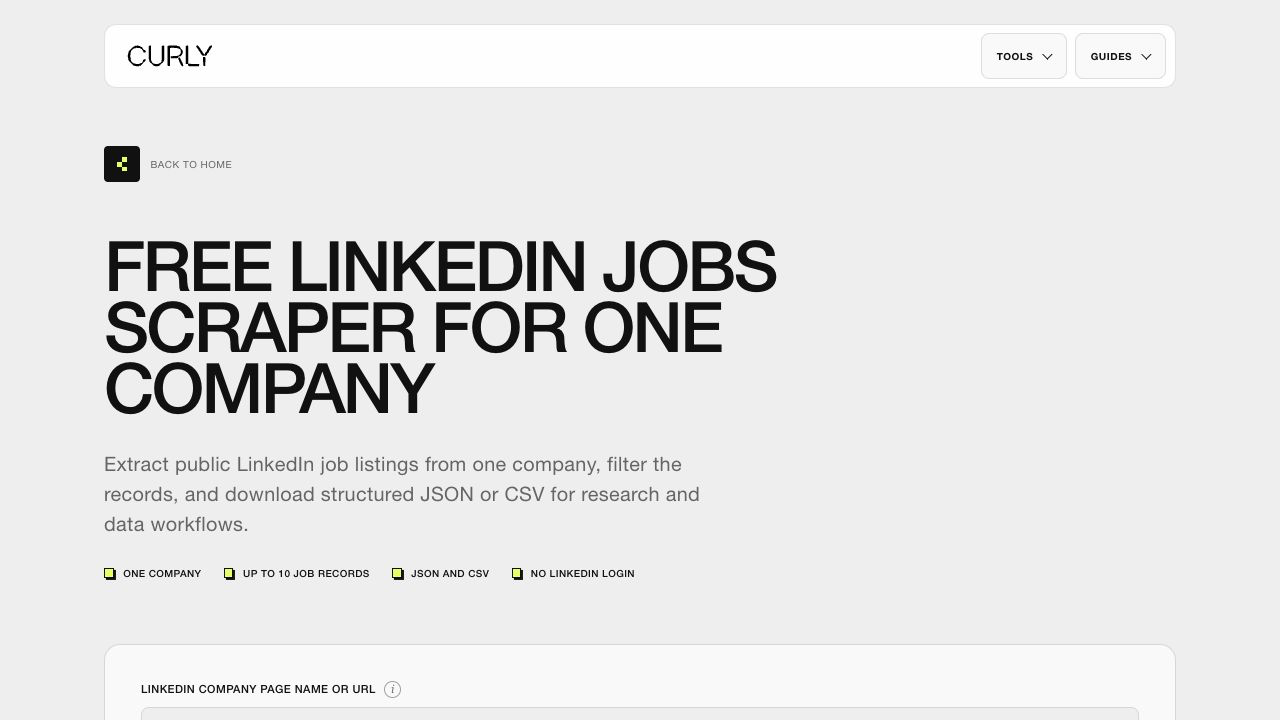
If you already have a target-account list, you can inspect the free Curly LinkedIn jobs scraper before building the full workflow. It returns a small public-data sample that helps you validate titles, locations, and fields.
What buying signals in sales can reveal
A useful buying signal shows a verifiable change that may affect priorities, capacity, timing, or ownership. Job postings fit this definition because they show active demand for work inside a company. They are strongest as account-prioritization evidence, not as proof that a buying process exists.
The U.S. Bureau of Labor Statistics definition of a job opening requires an available position, a near-term start, and active recruiting outside the establishment.
That makes a current vacancy more concrete than a vague growth claim. It still leaves an important question unanswered. The role may replace someone rather than expand the team.
Eurostat's job vacancy methodology includes newly created, unoccupied, and soon-to-be-vacant roles.
This distinction matters for sales research. A vacancy can signal expansion, replacement, backfill, or routine recruiting. Your workflow must test which explanation fits before anyone writes a message.
How common B2B sales signals compare
A job posting becomes more useful when it is recent, relevant to your offer, and supported by other account evidence.
Job data has one practical advantage over many intent sources. The title, company, location, publication date, and source URL can be reviewed by a person. That traceability lets you explain why an account entered the queue and remove it when the evidence becomes stale.
The job posting to decision-maker workflow
The workflow starts with accounts and ends with reviewed people. Curly's current jobs API is company-first, so it is designed for monitoring companies you already care about. It is not a market-wide feed that discovers every company hiring for a keyword.
- Build a target-account set from your ICP, CRM, territory, or a company-data source.
- Run those companies through Curly and collect recent public job records.
- Score each company using role relevance, recency, hiring depth, ICP fit, and evidence quality.
- Keep or resolve the official company website for every qualified account.
- Send up to 50 company websites at a time to Sonarly and choose the titles you want to find.
- Review Sonarly's candidate evidence and confidence before importing selected people into an audience.
Each stage removes a different source of error. The account set controls fit. Job data controls timing.
Domain resolution controls company identity. Role selection controls stakeholder relevance. Human review controls whether the final prospect belongs in outreach at all.
Step 1 - Build a target-company input
Start with a bounded account universe. A list of 25 to 100 companies is large enough to reveal hiring patterns but small enough to verify. Use company names or LinkedIn company page URLs that Curly can resolve consistently.
Keep the official domain beside each record when you already know it.
Your initial list should come from an explicit ICP rule. For example, a RevOps consultancy might select B2B software companies with 50 to 500 employees in the United States and Europe. A security vendor might choose cloud companies entering regulated markets.
The job title filter comes after this account-fit decision.
When the ICP is still vague, use Sonarly's free ICP generator to turn an offer and customer pattern into clearer company and stakeholder criteria. Do not use job activity to rescue an account that does not fit the market you serve.
- Strong input includes one legal or trading name, one LinkedIn company URL, and one official website.
- Acceptable input includes a clear company name that resolves to one organization.
- Weak input includes ambiguous names, parent brands without subsidiaries, or mixed company and product names.
Step 2 - Find recent jobs with Curly
Curly monitors public LinkedIn job listings for the companies you provide. The free browser tool handles one company and up to 10 lightweight records. The API can process larger company sets and adds optional details when descriptions, workplace type, applicants, or application metadata matter to your scoring logic.
Use the Curly LinkedIn Jobs API documentation to confirm the current inputs and returned fields. For routine monitoring, fast mode is usually enough. Preserve job ID, source URL, company name, title, location, publication date, collection date, and the filters that found the record.
Begin with a 30-day window and no title filter for a small sample. This exposes the company's naming conventions. After reviewing the result, add job-family terms such as RevOps, demand generation, data engineering, compliance, or customer success.
Overly narrow titles can hide useful variants.
Deduplicate by the stable job ID rather than title alone. Companies often publish the same title across several locations, while separate roles may share identical titles. Keep the source URL so a reviewer can verify whether the listing is still visible before outreach.
Step 3 - Score hiring intent without overclaiming it
Hiring intent becomes useful when you score the evidence instead of reacting to one keyword. The HIRE score below uses five factors worth 0 to 2 points each. It is an editorial framework for prioritization, not a predictive benchmark.
The HIRE signal score
Score each account from 0 to 10 before looking for people. Research accounts at 5 to 7 and prioritize accounts at 8 to 10.
Accounts scoring 0 to 4 should leave the active queue. Scores from 5 to 7 deserve more research. Scores from 8 to 10 can move to stakeholder discovery, provided the source is current.
These thresholds are working rules that make review consistent. Adjust them after you compare accepted accounts with actual conversations.
Hiring depth needs context. Three related openings posted within two weeks can show a coordinated build-out. Three copies of the same role across locations may represent one standardized search.
Read the titles, dates, locations, and descriptions together before awarding the second point.
Corroboration improves confidence. A new market role plus a company post about entering that market is stronger than either event alone. Sonarly can monitor job, post, comment, and company-change signal families when the required data and plan access are available.
A worked example from job data to a prospect list
A batch should become smaller at every quality gate. The hypothetical example below begins with 50 target accounts and ends with 16 candidate people for review. The counts demonstrate the method only.
They are not expected conversion rates, product results, or performance benchmarks.
A hypothetical job-to-prospect batch
These counts show how the quality gates work. They are an illustrative planning example, not a Sonarly or Curly performance benchmark.
Suppose Curly returns 134 public job records across the 50 accounts. Deduplication removes repeated IDs and location copies before anyone judges relevance. A role-family filter then leaves 18 openings connected to the offer.
The rejected records still have research value, but they should not influence this campaign.
The HIRE score reduces those 18 openings to nine qualified accounts. Some accounts fail because the role is old. Others fall outside the ICP or show one generic replacement vacancy.
This is where signal-based selling differs from keyword-triggered prospecting. The workflow requires fit, timing, and evidence to agree before a company advances.
All nine qualified accounts need verified websites. If two openings belong to the same company, they should produce one account record with stronger hiring depth, not two duplicate companies. A parent brand and a subsidiary should remain separate only when their domains, leadership, and buying ownership are genuinely distinct.
Sonarly might then return 16 candidate people across the nine websites. That result is not a list of 16 automatic sends. Review current role, title relevance, evidence, confidence, and likely ownership.
One company may have three plausible stakeholders, while another has none. The final audience should contain only people whose inclusion can be explained from the original signal trail.
Record the rejection reason at every gate. Useful labels include outside ICP, stale role, weak relevance, duplicate job, unresolved domain, and no supported stakeholder. After several batches, those reasons show whether the input list, job-family map, score threshold, or title selection needs revision.
Step 4 - Resolve the companies to official websites
Sonarly's website decision-maker import needs company websites, not job URLs. Keep domains in the original account list whenever possible. If the job result only gives you a company name or slug, resolve that company to its official website before importing it.
Curly's Company Profile Scraper returns company details that can include websites, headcount, industries, locations, jobs, and related companies. Use it as the optional bridge when your account source lacks domains. Verify the result because similar company names and subsidiaries can resolve to different sites.
Normalize each website to one canonical domain. Remove tracking paths, careers-page paths, and duplicate protocol variants. Keep the original company name and LinkedIn company URL as evidence, but pass the clean root website into Sonarly.
A company homepage is useful. A careers-page or individual job URL is not.
- Confirm that the website represents the same legal or trading entity as the job listing.
- Separate subsidiaries when they have their own domain and leadership team.
- Exclude staffing agencies when the listed employer cannot be verified.
- Store the source and resolution date so the mapping can be reviewed later.
Step 5 - Find relevant decision-makers with Sonarly
Sonarly can search company websites and public evidence for people whose titles match the roles you select. This method is designed to find likely decision-makers, not every employee at the company. Results depend on discoverable evidence, selected titles, credits, and available provider data.
Upload or paste up to 50 company websites per request. Choose up to three target titles in the current interface. Sonarly searches for candidate people, evaluates title relevance and source evidence, assigns confidence, and lets you select which profiles to import into an audience.
Title choice should follow the business outcome behind the job signal. If a company is hiring five SDRs, the likely stakeholder may be the VP Sales or Head of RevOps. If it is hiring a security engineering team, the relevant owner may be the CISO or VP Engineering.
The open role is evidence about the initiative, not automatically the person you should contact.
Map the hiring signal to a likely stakeholder
The open role describes the initiative. The buyer is usually the leader accountable for the surrounding business outcome.
Normalize unusual job and stakeholder titles with the O*NET occupation taxonomy. Its standardized occupation profiles provide a useful reference when two companies use different names for similar work. Keep company-specific titles in your evidence, but group them into a consistent job family for scoring.
Use the LinkedIn Boolean Search Generator when you need to test title variants before committing to a search. It helps separate titles and profile phrases from filters such as location, language, industry, and company size.
Turn the signal into careful outreach
A strong account score earns research, not an aggressive message. Verify the job listing, the company-domain match, the stakeholder's current role, and the connection between the hiring activity and your offer. Stop if any link in that chain is speculative.
Write around the observable change and one relevant question. Avoid claiming that you know the company's budget, internal problem, or purchasing plan. A respectful opening could say that you noticed the team is adding several RevOps roles and ask whether process consistency is part of that build-out.
It should not say that the company clearly needs your software.
Sonarly's LinkedIn message template generator can help turn a verified signal, role, and call to action into editable message variants. Review every message against the source before approving it.
Use the signal as context, not surveillance
Reference information that is public, relevant, and easy for the recipient to recognize. Do not infer layoffs, performance problems, budgets, or private strategy from one vacancy. If the message would feel uncomfortable when the source URL is shown beside it, rewrite or stop.
Keep a clear stop rule. No verified listing means no job-based message. No relevant stakeholder means the account returns to research.
No credible link between the role and your offer means the account may stay in monitoring, but it should not enter outreach.
Common mistakes when using job postings as sales triggers
Most failures happen when a team skips one stage of the workflow. The raw job record looks specific, so researchers treat it as a complete account thesis. It is only one piece of the thesis.
- Starting with every company that posted a job instead of a defined target-account set.
- Calling a vacancy purchase intent without testing whether it is expansion, replacement, or routine recruiting.
- Filtering on one exact title before learning how the company names roles.
- Passing job URLs or careers pages into a tool that needs canonical company domains.
- Contacting the candidate or recruiter when a business leader owns the relevant outcome.
- Importing every discovered person without reviewing title relevance, evidence, and confidence.
- Writing a message that exposes unsupported assumptions about budget or internal plans.
- Keeping stale job records in the active queue after the source disappears or the role closes.
The safest workflow keeps the data trail visible from job record to account score to selected stakeholder. If you need a broader prospecting foundation first, browse Sonarly's free prospecting tools before adding hiring activity as a prioritization layer.
A repeatable job-to-prospect research checklist
Run the same quality checks for every batch. Consistency matters more than speed during the first few cycles because those decisions define what your team later treats as a strong signal.
- Define the ICP and create a bounded list of target companies.
- Collect recent jobs with source URLs, IDs, titles, locations, and dates.
- Deduplicate records and group related openings by company and function.
- Score ICP fit, relevance, recency, hiring depth, and evidence quality.
- Resolve every qualified account to one verified official website.
- Choose likely stakeholder titles based on the business outcome behind the hiring pattern.
- Use Sonarly to discover role-matched candidates from the company websites.
- Review evidence and confidence before selecting profiles for an audience.
- Write from the public signal without claiming private intent.
- Remove stale signals and log what produced useful conversations.
After three to five research batches, compare HIRE scores with accepted prospects and replies. Raise the threshold if too many accounts require speculative reasoning. Lower it only when lower-scoring accounts still produce relevant conversations for a clear, documented reason.
Use job data to prioritize, then verify the people
Job postings can make buying signals in sales more concrete because they show where a target company is investing effort. Their value comes from verification and context. Start with good-fit accounts, preserve the source data, score the hiring pattern, resolve the right domain, and only then look for people.
Curly supplies a traceable company-job layer. Sonarly turns qualified company websites and selected titles into candidate decision-makers that you can review before import. Neither step proves purchase intent.
Together, they create a disciplined way to decide which accounts deserve closer research now.
Test the data side with Curly's free jobs scraper, then start Sonarly for free when your qualified company domains and stakeholder titles are ready.
Frequently asked questions
Buying signals in sales are observable behaviors or company changes that may indicate a relevant priority, problem, or evaluation. Examples include current job postings, leadership changes, funding, product research, and direct engagement. A signal should guide research and prioritization. It does not prove that a purchase will happen.
Job postings are reliable evidence that a company is recruiting for specific work. They are not reliable proof of purchase intent on their own. A role may reflect expansion, replacement, or routine hiring. Combine recency, role relevance, hiring depth, account fit, and another source before prioritizing outreach.
Curly's current LinkedIn Jobs API is company-first. You provide target company names or LinkedIn company pages, then collect their public job records. It is designed for repeatable account monitoring rather than unrestricted discovery of every company hiring for a keyword.
Qualify the hiring company first, resolve its official website, and choose titles that own the business outcome behind the open roles. Sonarly can search batches of company websites for role-matched candidate people, show title relevance and evidence, and let you select profiles before importing them.
No. Sonarly's website import is intended to discover candidates that match selected decision-maker titles. Results depend on public evidence, provider data, credits, and the company website. Review the returned confidence and evidence because the method does not guarantee a complete employee directory.
Start with postings from the last 30 days. Give the strongest recency score to roles posted within 14 days, then verify that the source is still visible before outreach. Longer windows can support trend research, but older listings should not drive a time-sensitive message without fresh corroboration.