
5 Strategies to Turn LinkedIn Engagement into Booked Meetings
Use five LinkedIn engagement strategies to turn personal posts, competitor engagement, complementary tool conversations, influencer comments, and warm network signals into booked B2B meetings.

Why most LinkedIn outreach gets ignored
You know the feeling: a LinkedIn DM lands, you open it, and within three seconds it reads like the same pitch you deleted yesterday. If you would not answer it yourself, your customers probably will not either.
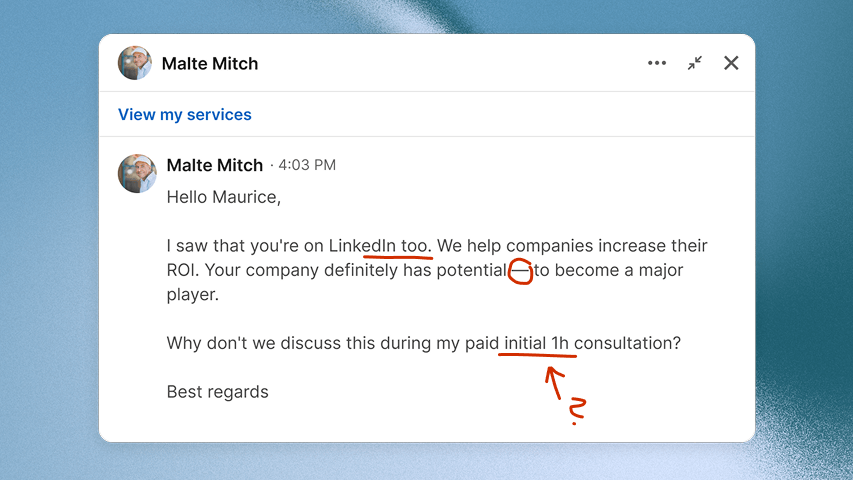
AI slop everywhere
Most DMs read like the same AI-written pitch. No real context, no clear reason, and nothing that makes the person feel selected.
Wrong person, wrong moment
The sender built a list, skipped the fit check, and guessed that the offer matters right now.
Just another stranger
Without warm-up, you are just another unknown person asking for time. A profile visit, reaction, or useful comment can make the first message feel less random.
LinkedIn is getting more competitive
Everyone is pitching. Fake personalization does not stand out when more people are sending the same kind of opener.
Engagement gives you a better path: spot a real action, check whether the person fits your customer profile, then start with context they recognize.
Do one of these 5 and I'll promise more replies
This is not about collecting more names. It is about finding the few people who already showed a reason to care, then reaching out before the context goes cold.
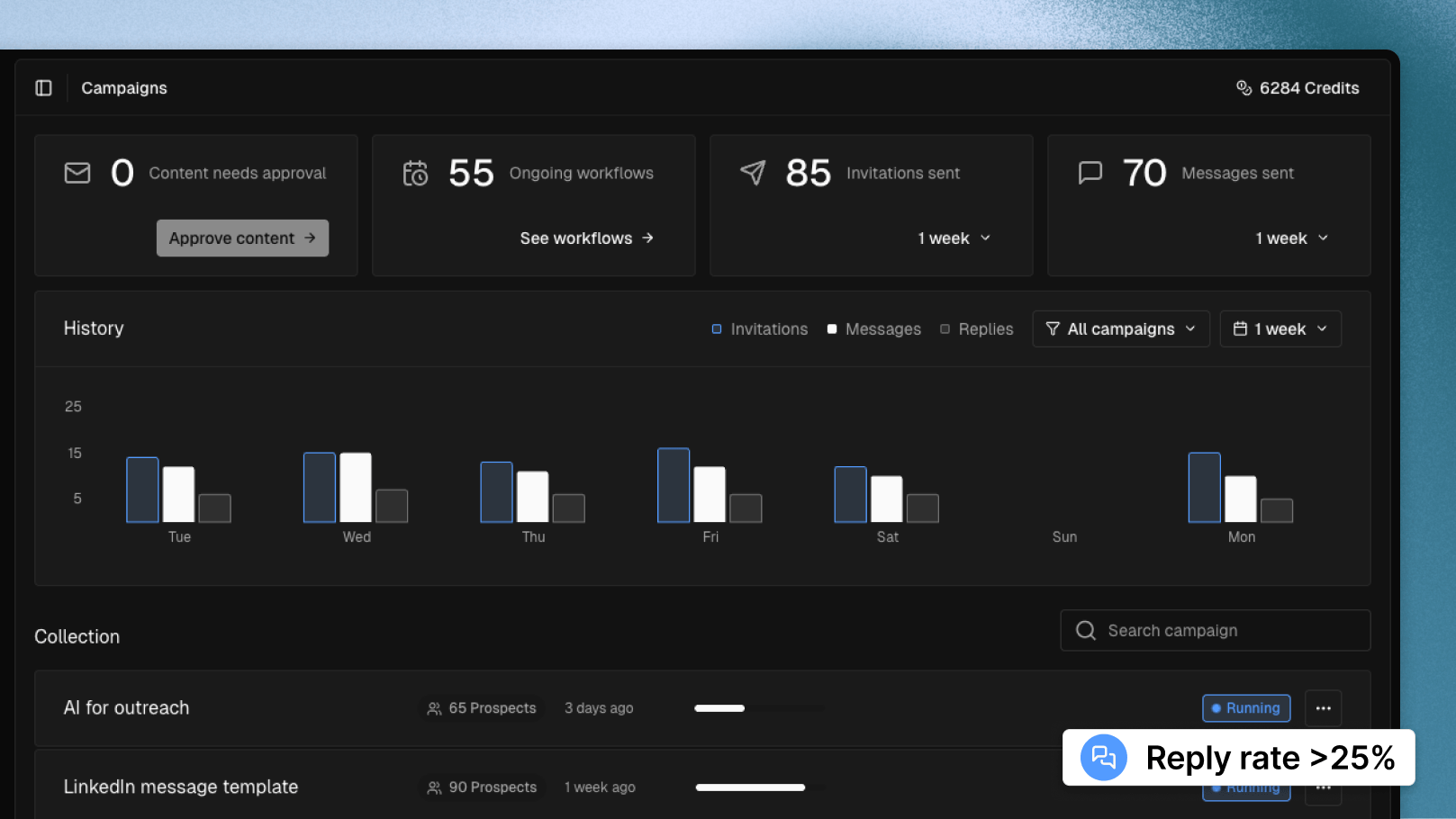
Use the five plays below to turn likes, comments, competitor posts, creator threads, and paid angles into messages people are more likely to answer.
Get more replies from the same LinkedIn activity
Start with a real signal, so your first message feels like a continuation, not a random pitch.
Book meetings from people who already showed interest
Focus on reactions, comments, follows, and public conversations tied to problems you solve.
Stop wasting time on dead leads
Filter roles, companies, and context before you send anything.
You can run this manually first.
Save posts, check profiles, and track prospects in a spreadsheet. Sonarly can automate the capture and filtering later, but the strategy should make sense before any tool is involved.
1 - Find prospects already paying attention to competitors
Find people who already pay attention to similar companies, services, problems, or conversations.
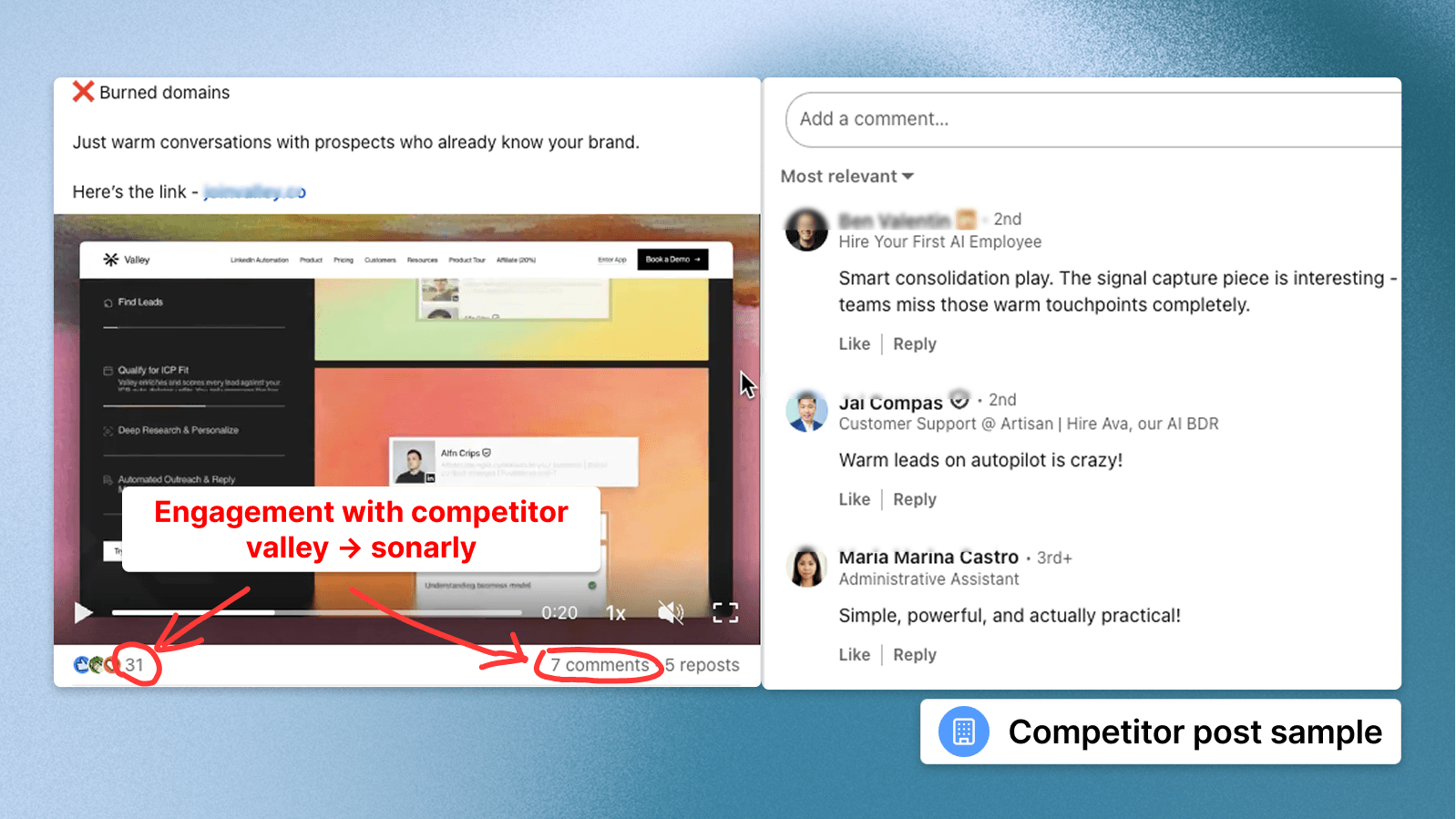
Competitor posts are useful because the audience already understands the problem. Do not spam the comments. Find the right conversations, notice the words people use, and keep only the profiles that look relevant.
1.1 Build the competitor list worth spying on
Start with companies that sell to the same customer or solve a similar problem. Use the AI prompt to build a focused list from your website.
AI prompt for competitor research
1.2 Find competitor posts where buyers show pain
Check company page posts first, then founders, sales leaders, product marketers, and other people who speak for the category.
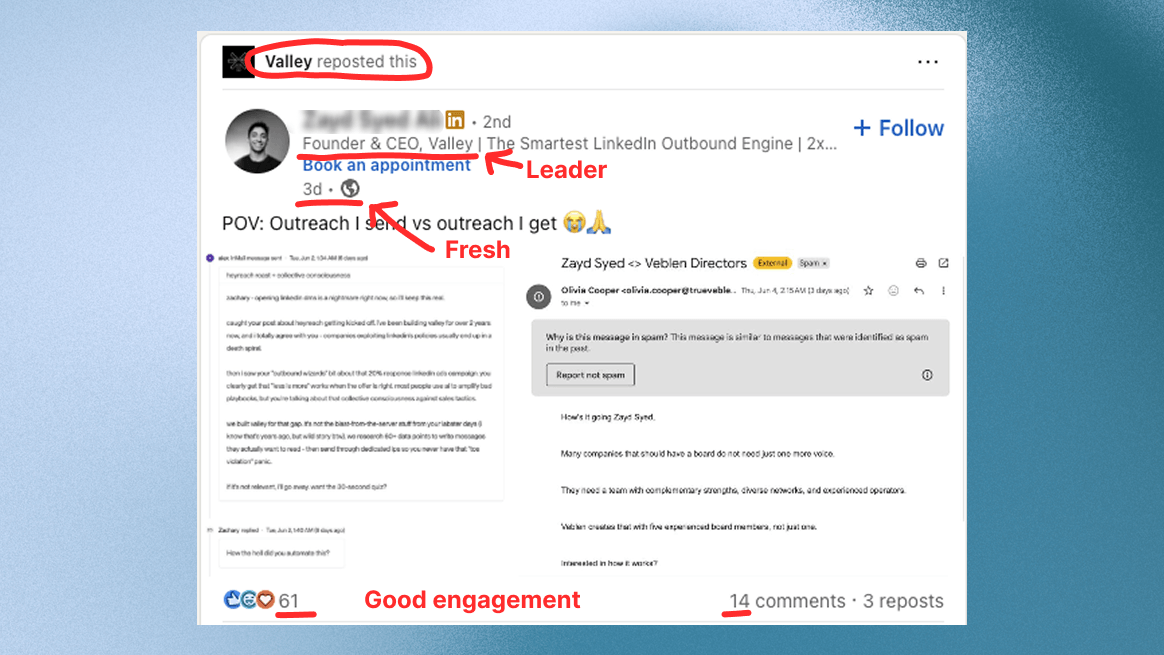
Personal profiles often get way more reactions and comments, so they usually reveal better conversations.
Use recent posts
Start with posts from the last 7 days so the context still feels current.
Pick posts about problems you solve
Save threads where your product, service, or expertise has a clear reason to matter.
Do not name-drop the competitor
Use the topic as context. Making the competitor the center of the message feels forced.
Do not save every liker
Only keep people whose role, company, and problem match the customer you want.
1.3 Turn competitor engagement into a warmer first message
Treat the reaction or comment as your entry point, not as permission to pitch. Create one light touch first, then send one short message with a clear reason.
- Check customer fit: Keep people whose role, company, and problem match the customer you want. If that profile is fuzzy, sharpen it with the free ICP generator before saving people.
- Create one light touch: If they publish something relevant, leave a useful comment or react before you message.
- Connect without a pitch: Send a plain connection request. The goal is familiarity, not a mini sales letter.
- Message last: Once there is context, send one short question. Use InMail or email only if LinkedIn is not available.
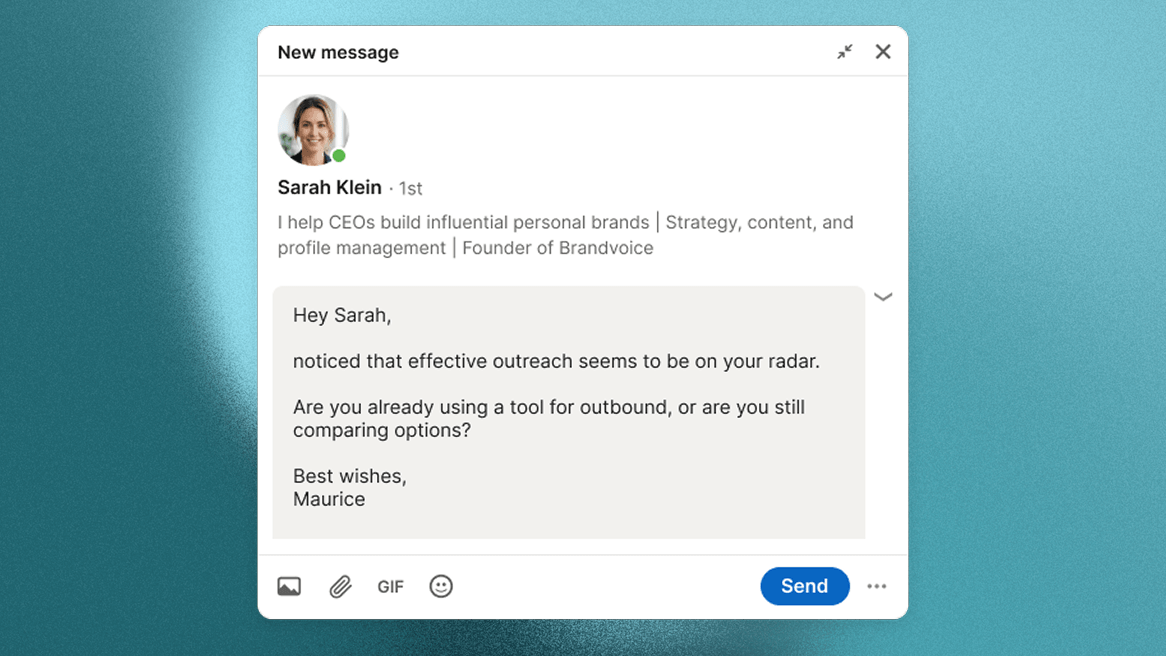
Message draft for competitor engagement
2 - Find prospects before they start looking for you
Related tools, services, and communities show what your customer is trying to get done before, after, or beside your offer. They can reveal interest even when the person is not talking directly about your category.
Find demand before it reaches your category
People often show the problem around hiring, onboarding, finance, operations, or growth before they name your exact solution.
Spot the buying moment around your offer
Look for the tools, agencies, communities, and workflows your customer uses right before or after they need you.
Open with a reason that does not feel random
The related topic gives you a clean bridge into the connected problem your offer solves.
A related post is only useful when it connects to a real problem. Check the profile, company, and comment quality before saving anyone.
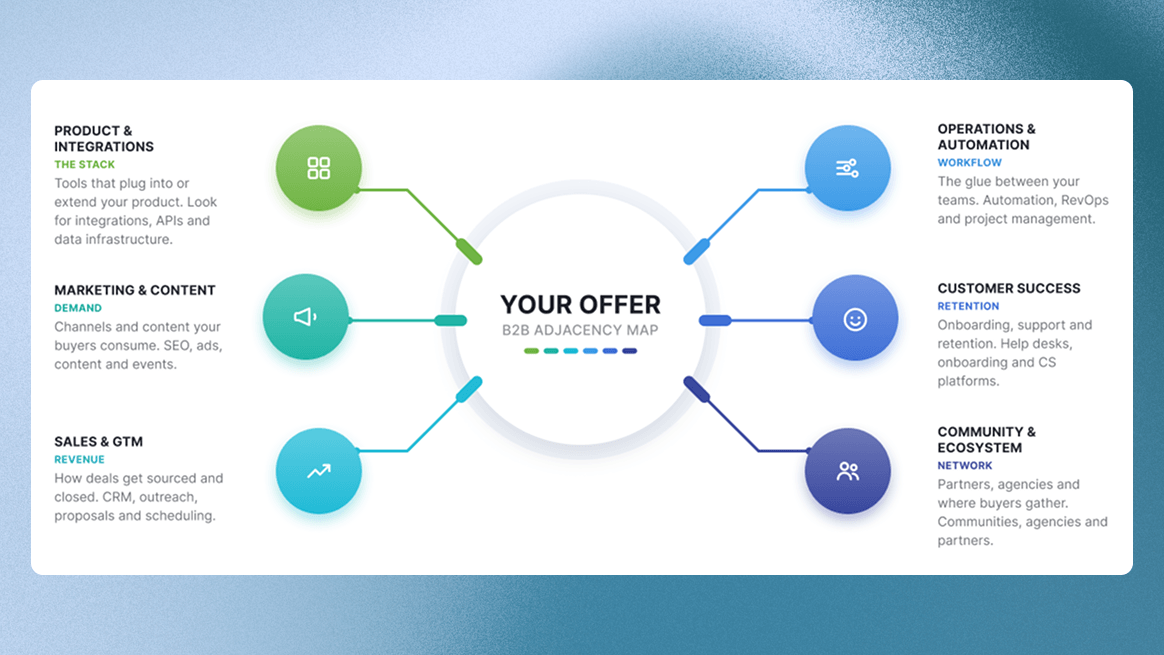
2.1 Map where your buyers already spend attention
Start from what your customer is trying to get done. List the tools, services, agencies, communities, and workflows they use around that job.
AI prompt for finding related attention areas
2.2 Find posts where the problem is already active
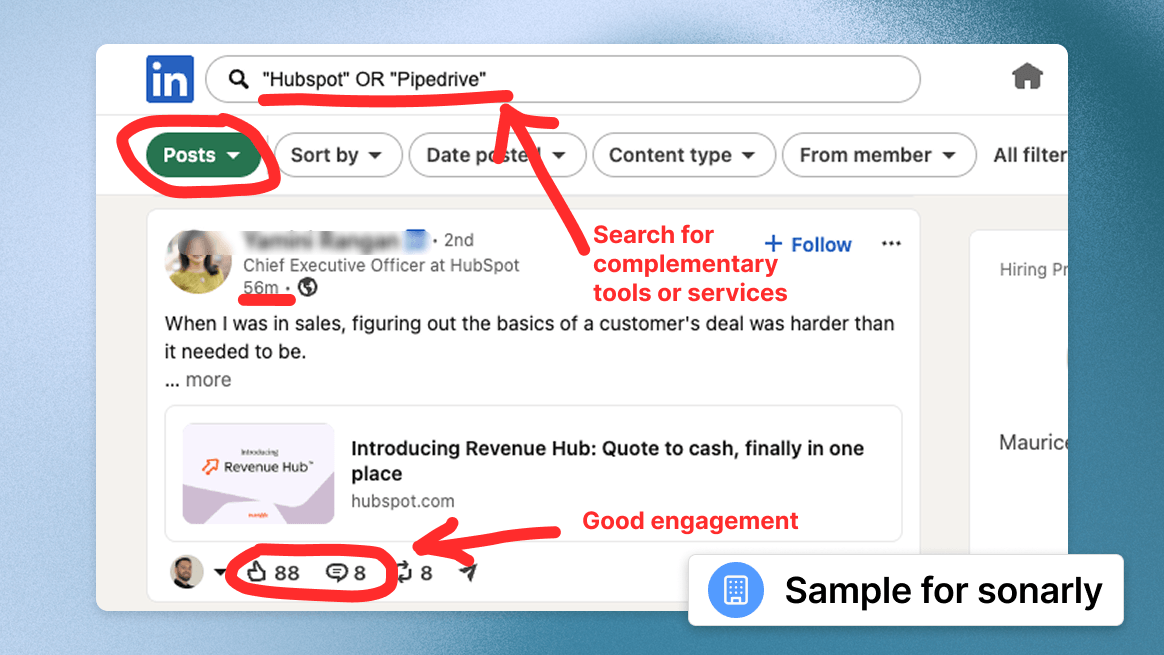
Open the company pages and personal profiles from the prompt. Look for posts about the exact problem, task, or buying moment your offer connects to. For services, check case studies, partner announcements, client wins, hiring posts, event recaps, and practical how-to posts. For tools, check launch posts, integration posts, feature updates, comparison threads, and customer examples.
For Sonarly, CRM-related content can point to lead management, follow-up, or pipeline quality. For another founder, the related topic might be hiring, bookkeeping, customer support, compliance, logistics, or any other process that happens around the core offer.
Use recent conversations
Start with posts from the last 7 days. Recent engagement is easier to turn into a natural first touch.
Look for buyer language
Save posts where people ask questions, describe a problem, mention a tool or service, or share a real example.
Match the problem to your offer
The post should connect to a problem you help solve, not just to a broad industry trend.
Do not chase likes only
A reaction without role, company, or topic context is a weak clue.
Do not treat every commenter as a customer
Peers, vendors, job seekers, students, and partners also engage. Check before saving anyone.
2.3 Turn adjacent interest into a relevant DM
Use the warm outreach checklist from section 1, but change the reason for reaching out: mention the related problem or process they engaged with, not the company, tool, or community where you found them.
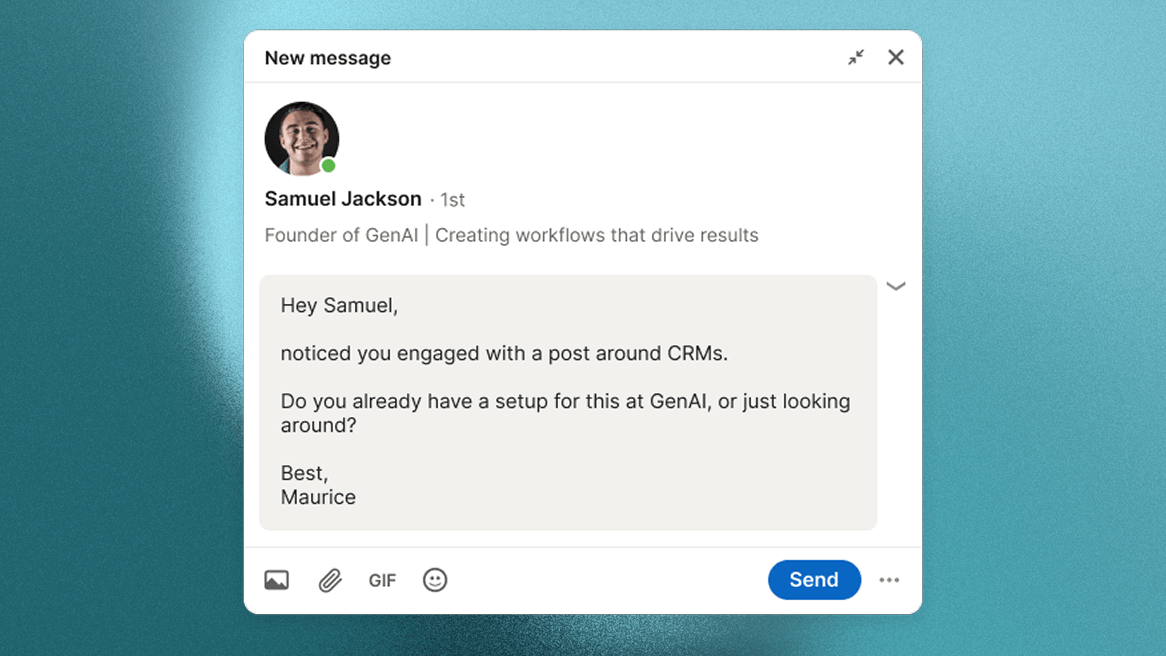
Message draft for related-topic engagement
3 - Borrow trust from voices your buyers already follow
Industry leaders, niche creators, consultants, and operators already have the attention of people you may want to reach. Their comments can show which questions repeat and who is willing to talk about the problem in public.
Do not copy the creator or spam the thread. Use the conversation to find relevant people, add one useful thought, and start from the topic instead of a cold pitch.
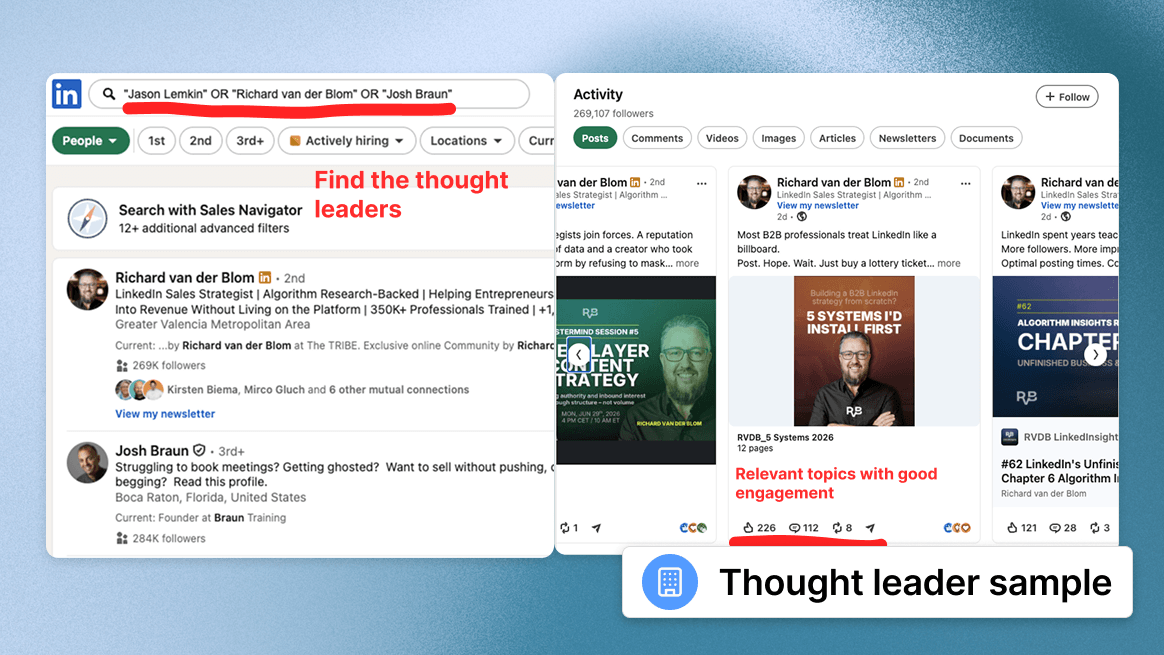
3.1 Find the voices your buyers already trust
Do not start with the biggest names. Start with people your customer would realistically read: consultants, founders, educators, community owners, podcast hosts, newsletter writers, and experienced practitioners in the market.
AI prompt for finding industry voices
3.2 Find comment threads with real buyer signals
A creator post is useful only when the comments reveal relevant people. Ignore empty likes and praise. Look for comments where people ask for help, mention a current process, challenge the idea, name a tool or service, or describe what they already tried.
Specific comments beat empty praise
Save people who share a problem, question, example, tool, service, or objection. Skip comments that only say “great post.”
Role and company matter first
A useful comment only matters if the person could buy, influence, or introduce the topic inside the company.
Repeated topics are stronger clues
If the same problem appears in several comment threads, it is probably worth turning into posts, comments, and messages.
Do not chase broad audiences
A huge audience is useless if most commenters are peers, students, creators, or vendors.
Do not copy the creator angle
Use the conversation to understand the market. Your comment and message still need your own point of view.
3.3 Start from the comment, not a cold pitch
Use the warm outreach checklist from section 1, but make the topic the bridge. Reference the conversation or problem, not the creator as a name-drop.
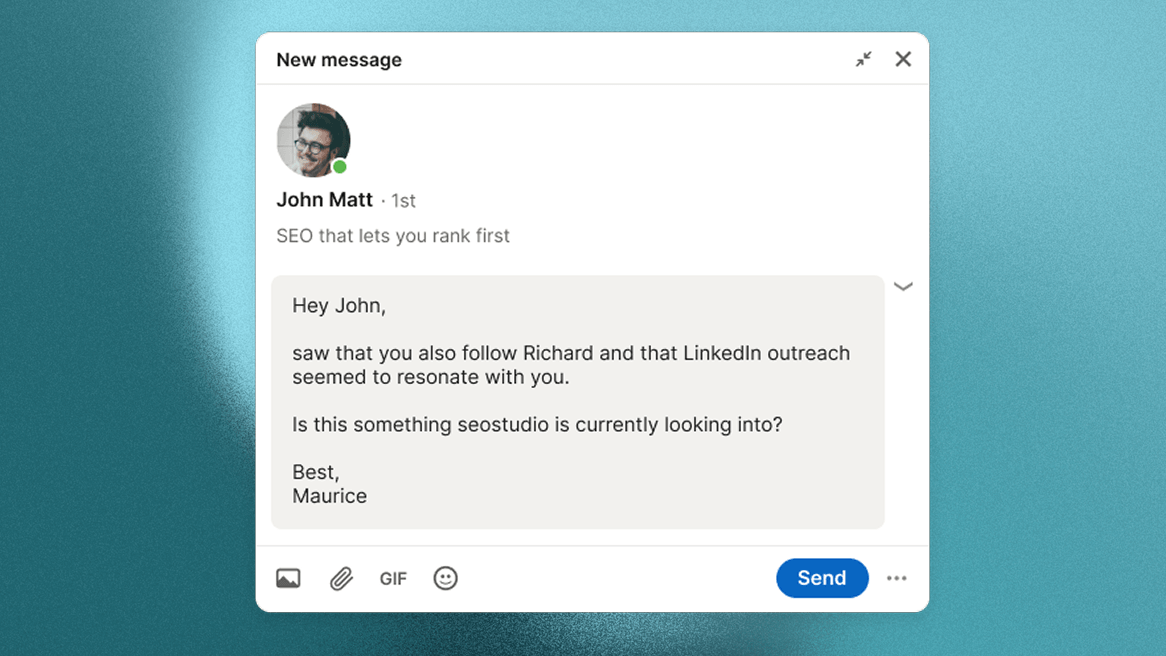
Message draft for creator-thread engagement
4 - Turn your own posts into reply triggers
Your own posts are the easiest place to start. When someone likes, comments, reacts, or visits your profile after a post, you know which topic got their attention.
You do not need to post every day. Start with two or three strong posts per week, keep the cadence stable for 30 days, and watch which topics create useful conversations. The value is the topic context, not the posting volume.
4.1 Pick topics that pull the right prospects out of hiding
Before you write, decide which customer problem the post should attract. A good topic is specific enough that the right person recognizes the problem and the wrong person scrolls past.
AI prompt for own-post topic angles
4.2 Post to create buying signals, not vanity engagement
Use a simple weekly rhythm: one topic area, two or three posts, and fast replies to useful comments. Scheduling can help, but the important part is consistency and a clear reason for each post.
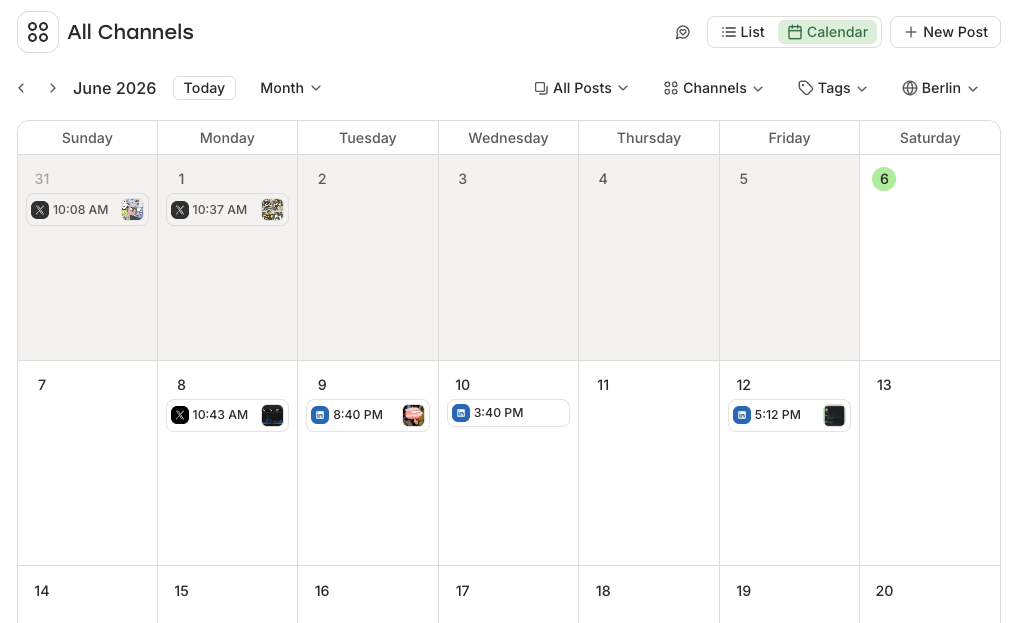
Free schedulers are enough for this motion. Check the current free-plan limits before you build the whole routine around one tool.
- Buffer: simple queue-based scheduling for a small weekly cadence.
- Zoho Social: useful when you want basic publishing for a brand or profile setup.
- Publer: lightweight scheduling and calendar planning.
- Later: visual calendar planning with LinkedIn scheduling support.
Start with two or three posts per week
This is enough to build a repeatable loop without forcing low-quality daily posts.
Use one topic area per week
Repeating the same customer problem from different angles makes the comments easier to understand.
Ask a specific closing question
Useful comments usually come from specific questions, not generic “thoughts?” endings.
Reply while the post is fresh
Good comments are easiest to turn into conversations inside the first 24 hours.
Do not force daily posting
More posts only help when the quality and topic stay strong.
Do not publish generic AI drafts
If the post could come from anyone, the engagement will also be hard to qualify.
Do not chase broad attention bait
Large but vague attention creates more noise, not better conversations.
4.3 Turn comments and reactions into natural DMs
This is different because they already interacted with your content. You do not need to go like one of their posts just to create context. Respond where they engaged, then continue only if the person looks relevant.
- Check if they could be a customer: Keep people whose role, company, and problem match the customer you want. If you are not sure who your best customer is, use the free ICP generator before saving people.
- Respond where they engaged: If they commented, reply with a useful follow-up or one simple question. If they only reacted, check whether their profile makes them worth saving.
- Connect or message: If you are not connected, send a plain connection request. If you are already connected, send one short message about the topic they engaged with.
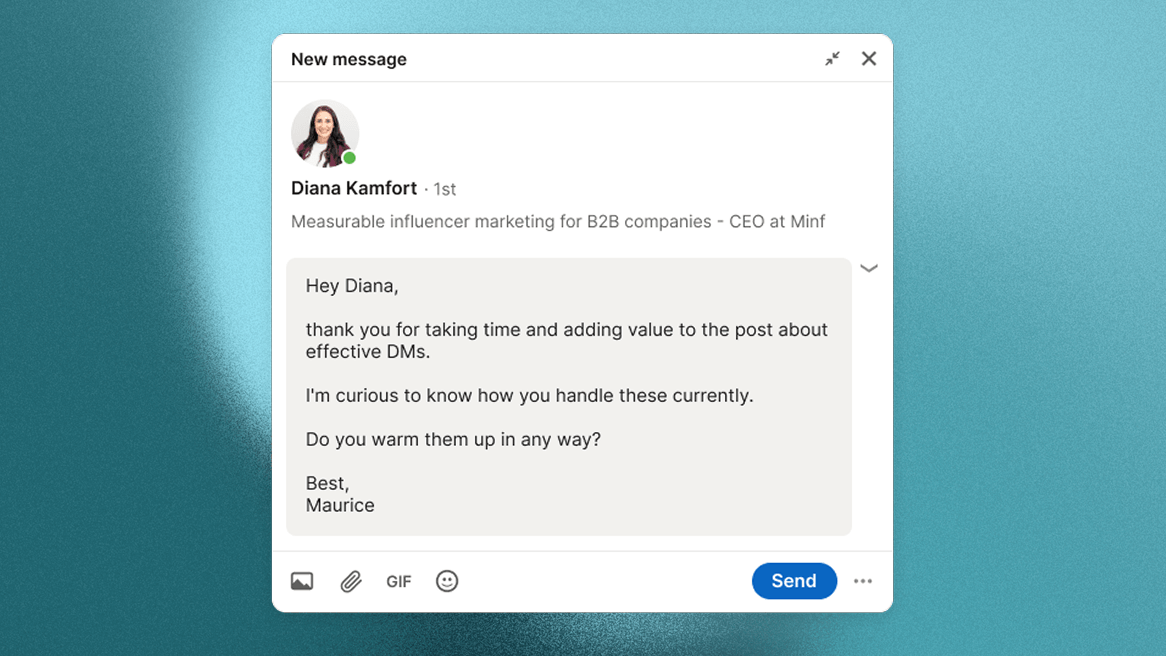
Message draft for own-post engagement
5 - BONUS: Find angles companies are already paying to promote
Use the LinkedIn Ads Library as a shortcut to see which topics companies are paying to promote: reports, webinars, demos, comparisons, and problem statements. The ad itself is not the lead source. It points you toward active topics worth searching on LinkedIn.
Once you find a promising paid angle, move back to normal LinkedIn search. Look for public posts and comments around the same topic, then use the relevant warm outreach checklist from the earlier sections.
5.1 Find messages companies are paying to test
Start with competitors, related tools, services, agencies, consultants, or category keywords you already know. Look for ads with a clear topic: a report, checklist, webinar, demo, comparison, or specific problem angle.
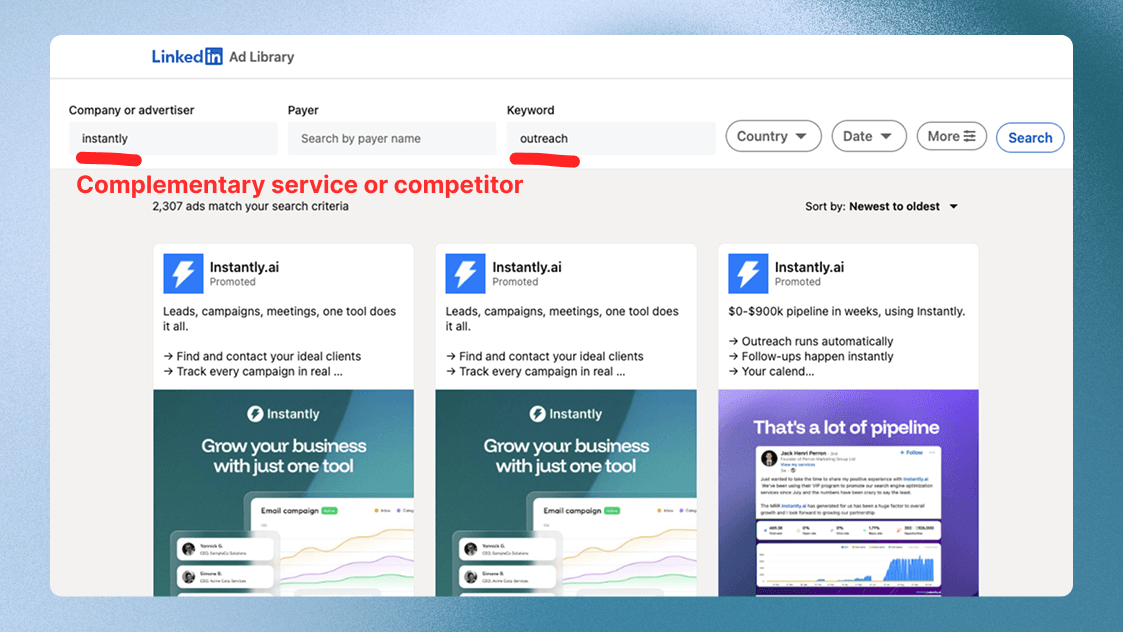
- Search the Ads Library: Use competitor names, related tools, service categories, or problem keywords.
- Save ads with a clear topic: Skip vague brand campaigns and keep concrete offers, reports, webinars, or pain points.
- Write down the exact phrase: Use the promise, topic, or problem wording as your LinkedIn search starting point.
5.2 Turn paid angles into organic search terms
Take the strongest phrase from the ad and search it on LinkedIn. Filter for posts, prioritize fresh conversations, and check whether real people comment, ask questions, react, or share their current setup.
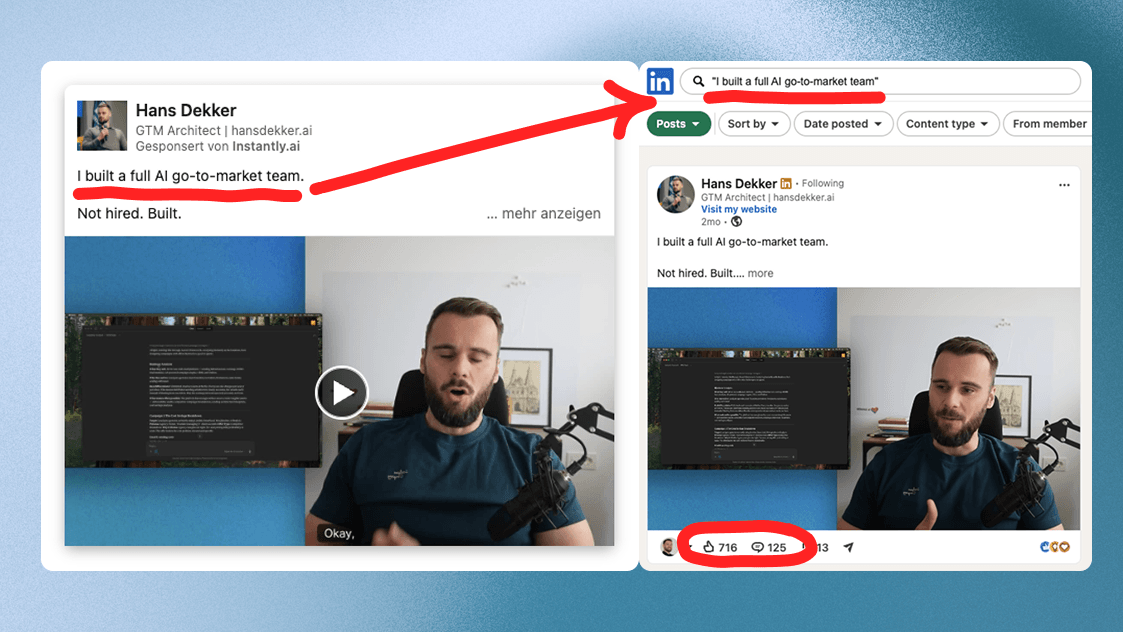
- Search the phrase on LinkedIn: Paste the topic, phrase, or problem angle into LinkedIn search and switch to posts.
- Open posts with useful engagement: Prioritize comments and specific questions, not likes alone.
- Check customer fit: Save commenters only when their role, company, and problem match your customer profile.
- Choose the right checklist: Use the competitor, related-topic, or creator-thread motion depending on where the topic came from.
5.3 Pick the warmest path before you message
You do not need a separate message template here. If the angle points to a competitor, use the competitor checklist. If it points to a related tool or service, use the related-topic checklist. If it leads you to a creator thread, use the creator-thread checklist.
The Ads Library is only the research shortcut. The outreach still needs a real public interaction and a person who could plausibly become a customer.
Once it works manually, let Sonarly scale it
You can run this playbook manually with saved posts, comment threads, profile checks, and a spreadsheet. Sonarly helps once the motion works: it captures engaged people, filters for fit, and turns the right ones into warm outreach workflows.
Capture people already showing intent
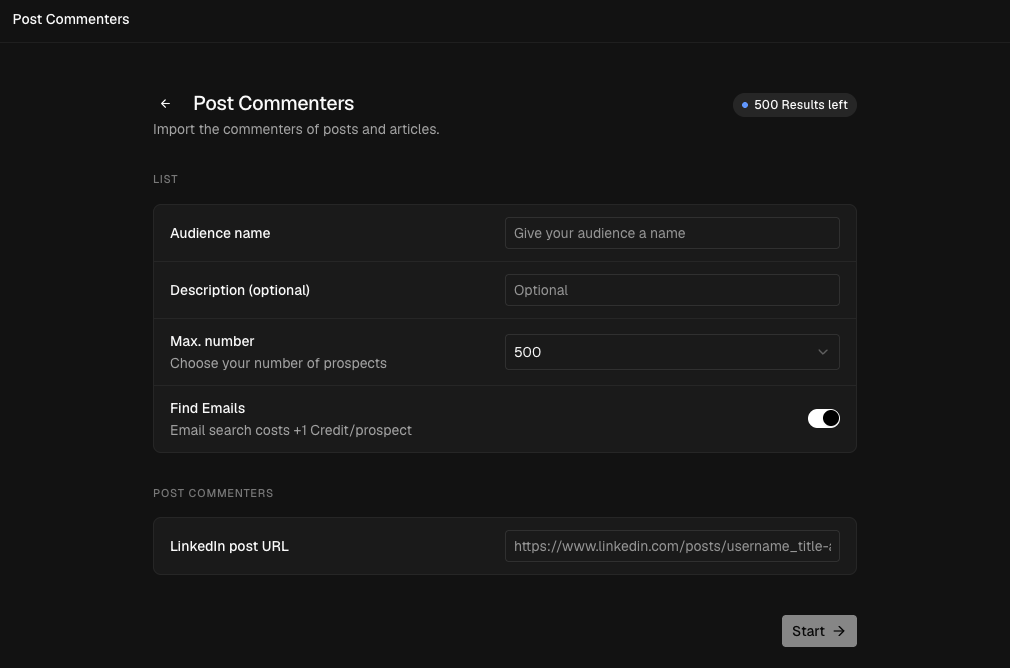
Start with the post URL. Sonarly can import commenters from LinkedIn posts and articles, turn them into a list, and keep the original engagement source attached so you know why each person entered the workflow.
Filter out people who were never going to reply
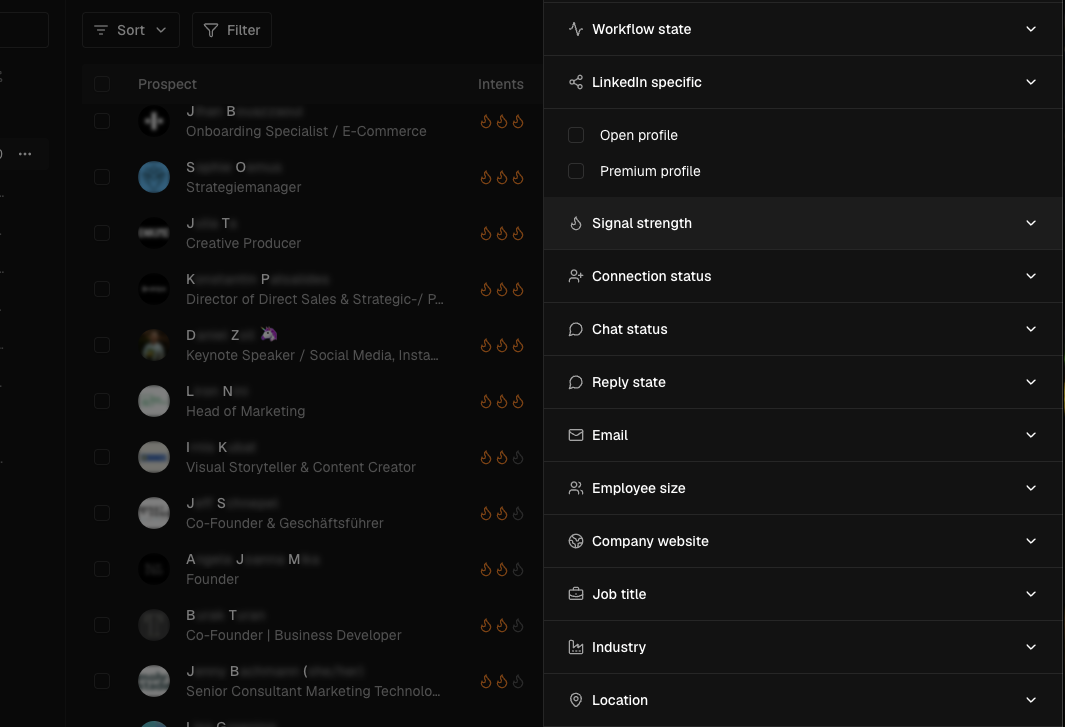
The playbook keeps coming back to the same rule: not every engaged person is worth messaging. Use filters to narrow the list by source, comment quality, connection status, reply state, email availability, company size, website, job title, industry, and location.
Message fewer people, get better replies
Keep only people who match your customer profile instead of blasting every reaction or comment.
Never lose the reason for reaching out
Keep the post, comment, or source attached so the first message has a real reason.
Prioritize signals that can turn into pipeline
A detailed comment from the right role matters more than a weak like from a poor-fit profile.
Automate the touches without losing the context
Sonarly is not only about sending the first message. You can warm people up with profile and post engagement, send the connection request, wait, branch based on connection state, and stop the workflow automatically when someone replies.
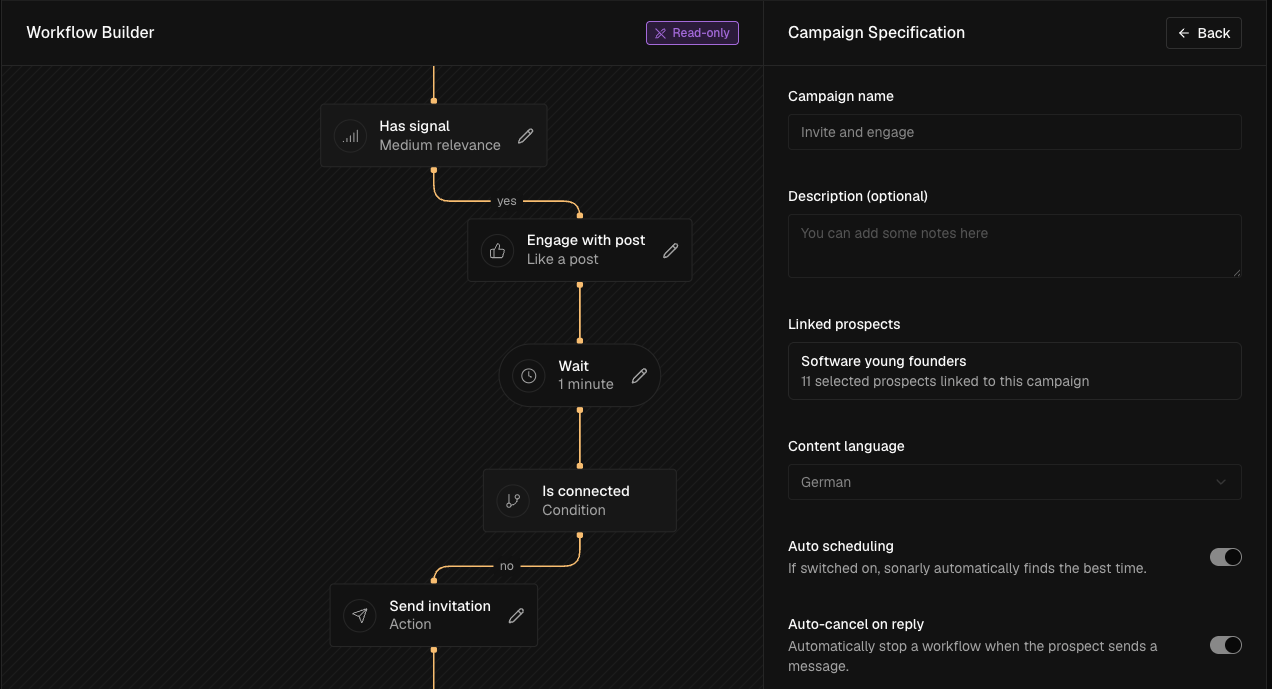
Make the first message feel less cold
Engage with a relevant post or profile first, so the message does not appear out of nowhere.
Send the right next step automatically
Invite only when needed, then continue differently once the person is connected.
Follow up without sounding generic
Keep the original post, comment, or source attached so every follow-up still has a reason.
Stop before automation hurts the conversation
End the workflow when the prospect answers, so automation does not interrupt a real conversation.
That is the point of the playbook: use engagement to find a better reason to reach out, then let the system handle repetitive steps while you keep the targeting and message quality under control.
Prove the motion manually first. Once you know which engagement sources create real conversations, Sonarly helps you capture, filter, warm up, message, and follow up without rebuilding the same workflow every week.